RoboPet Life > Guide > Pre-purchase concerns
 Checked against official info for 7 models
Are Companion Robot Cameras and Microphones Safe? Privacy Checkpoints Compared Across 7 Models [2026 Edition]
"Will it record what goes on in my room?" "Will my conversations be sent somewhere?" Many people have these worries before bringing home a robot with a camera or microphone. How video and audio are handled differs considerably by model. Based on the official websites and privacy policies of 7 models, this article sorts out what is collected, where it is sent, and how to stop it.

Shop links: the buttons in this article link to online stores in your region. When an affiliate program applies, RoboPet Life may earn a commission from qualifying purchases at no extra cost to you. Marketplaces also list items from sellers other than the official maker, so please check the seller and warranty before you buy.
What you'll learn in this article
- Cameras and mics: the types of data collected
- A list of camera, microphone, where data goes and how to stop it for 7 models
- How to tell whether video and audio are "on the device" or "in the cloud"
- At home: three mindsets
- A pre-purchase 7-point checklist
Whether a model has a camera or microphone, and where video and audio go, varies greatly by model. According to official information for the 7 models, many send audio or images to company servers, while some delete video on the device immediately and others store photos on the robot itself.
If you check three points on the official website before buying, (1) which sensors it has, (2) where data goes and how it is used, and (3) how to stop it, you can choose with confidence. For how monthly plans relate to data, see also our article on whether there is a monthly fee.
What are a robot's camera and microphone for? What gets collected
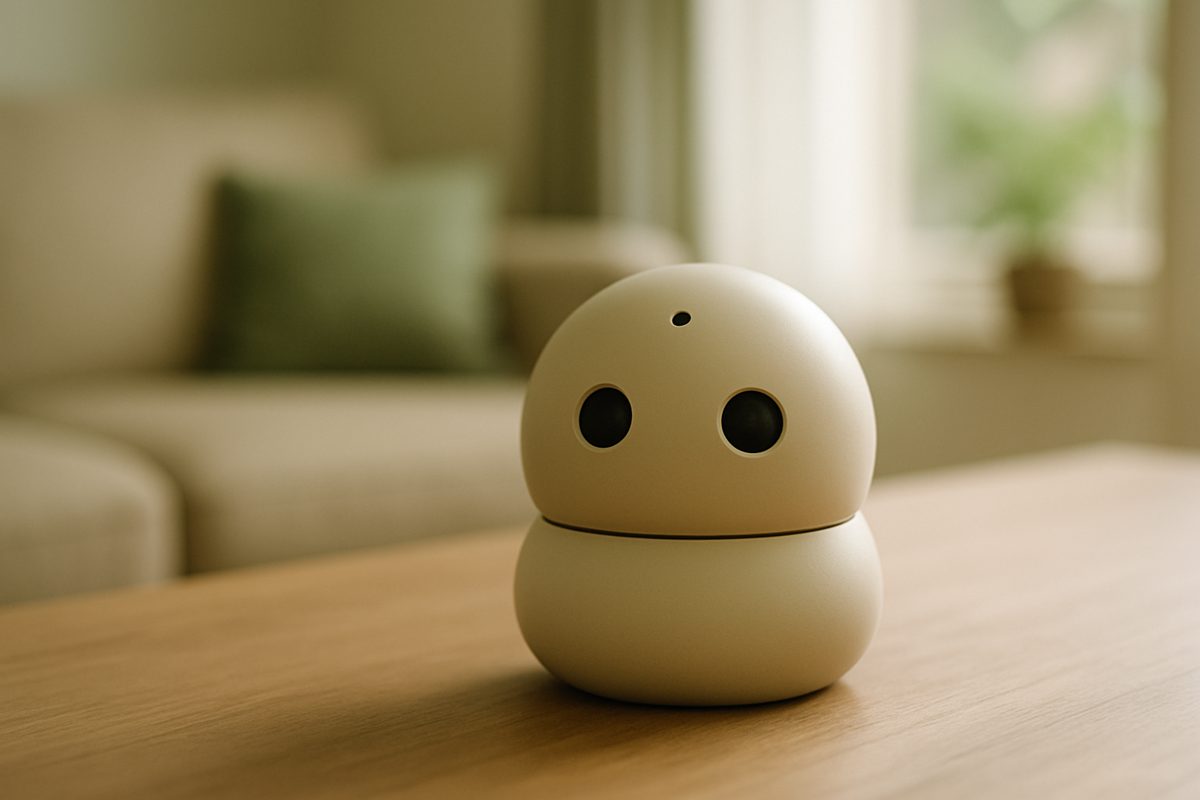
Cameras and microphones are the parts that let a robot recognize people and respond to voices. What is collected falls into three broad types.
Used for face recognition, taking photos, and checking in on things while you're out.
Used to respond when called and for conversation. Some models convert it to text for processing.
Such as app IDs, nicknames, dates of birth and face photos. Required items vary by model.
EditorsCameras, microphones and where data goes for 7 models [Official information]
We summarized what each company's official website and privacy policy say. "—" marks items not found in official information.
| Model | Camera | Microphone | Where data goes (per official information) | How to stop it |
|---|---|---|---|---|
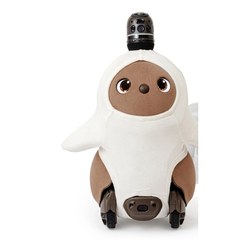 LOVOT LOVOT | YesTop of head, front, depth | Yes | Captured images, video and audio are backed up to the cloud. Processed into a form that cannot identify individuals and used for R&D | Auto-capture OFF via switch on the robot / backup OFF in the app |
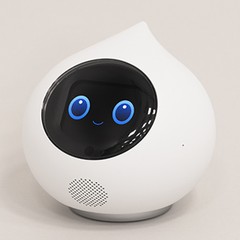 Romi Romi | YesFace recognition | Yes | Camera video is deleted on the device immediately and only numerical data is kept. Images for visual functions are discarded after analysis and not used for AI training | Turn visual functions ON/OFF in the app |
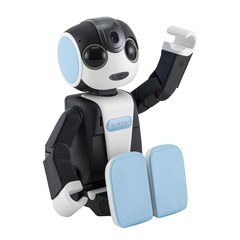 RoBoHoN RoBoHoN | YesAbout 8 MP, face recognition | Yes | Audio is sent to cloud speech-recognition providers (including overseas) and used to improve functions | No method other than powering off found in official information |
 Poketomo Poketomo | YesFace recognition, photos | Yes | Audio is sent to cloud speech-recognition providers (including overseas servers). Captured images are provided to generative AI providers when you instruct it | Manner mode via switch on the robot / voice mute in the app |
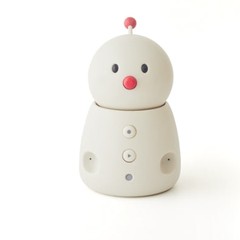 BOCCO emo BOCCO emo | —Not officially stated | Yes | Conversation audio is stored, including by contractors, and used to improve AI accuracy. Conversation logs may not be individually deletable | Say "mute" / button stops the microphone only (lights red) |
 KATA Friends KATA Friends | Yes | Yes4 | Photos are stored on the robot and not sent to the cloud. AI conversation audio is sent to OpenAI. The picture diary sends that day's photos to the cloud | No collection while asleep / AI conversation and picture diary can be turned off in the app |
 Moflin Moflin | —Not listed in specifications | Yes1 | Does not understand or record words; voice characteristics are converted to numbers and stored on the robot. Uploaded only when selected in the app | Power button (no official way found to stop the microphone alone) |
← Scroll the table horizontally →
* Compiled by the editorial team from information checked on each manufacturer's official website on Oct 12, 2026. Items not officially stated, such as specific retention periods in days, are not included. For actual handling, please check each company's latest privacy policy.
Where to buy the main models
EditorsVideo and audio: "on the device" or "in the cloud"? How to tell
From the official descriptions, data handling can be read as falling into the following three types. Watching for the words "third party," "contractor" and "overseas" in privacy policies makes them easier to tell apart.
Romi deletes camera video on the device immediately and keeps only numerical data. KATA Friends stores photos on the robot and does not send them to the cloud. Moflin converts voice characteristics to numbers and stores them on the robot.
Romi sends images for visual functions for analysis, and Poketomo provides captured images to generative AI providers when you instruct it. KATA Friends sends AI conversation audio and picture-diary photos. In some cases, you can decide whether data is sent by choosing which features to use.
LOVOT backs up captured images, video and audio to the cloud, and RoBoHoN and Poketomo send audio to cloud speech-recognition providers. This design is necessary for conversation and monitoring features.
- Romi: images for visual functions are discarded after analysis and not used for AI training
- KATA Friends: AI conversation audio is not used for training or provided to third parties
- LOVOT: employees do not view data without consent, and no third-party provision without consent
- RoBoHoN, Poketomo: audio is sent to the cloud, including overseas servers
- BOCCO emo: conversation logs, etc. may not be individually deletable
- LOVOT: processed information is used for R&D
When you want to stop the microphone or camera
Whether you can stop it when you "don't want to be seen or heard" differs by model. Before buying, check whether an official way to stop it is described.
LOVOT can turn off auto-capture with a switch on the robot, and Poketomo can be put into manner mode (doesn't talk or move) with a switch on the robot.
BOCCO emo's microphone can be stopped by saying "mute" or with a button, and it lights red so you can see its status.
Romi's visual functions, KATA Friends' AI conversation and picture diary, and Poketomo's voice can be stopped in the app.
For every model, the last resort is powering off. For RoBoHoN, no method other than powering off can be found in official information.
Three mindsets for using it at home

It's reassuring to avoid bedrooms and places with documents you don't want seen, and place it in a shared space like the living room.
Let family members and children you live with know that it has a camera and microphone.
Review app backups and AI features on/off right after bringing it home, and periodically after that.
Editors7-point pre-purchase checklist

Open the official website of the model you're interested in (product page, FAQ, privacy policy) and check off each item you were able to confirm. Any unchecked items are things you still need to look into before buying.
Frequently asked questions
Do companion robot cameras and microphones record all the time?
Where are audio and photos sent?
Can I stop the camera and microphone?
What should I do when family or guests are around?
Find a robot by purpose
Sources (checked Oct 12, 2026)
- LOVOT:Privacy policy/House-sitting
- Romi:Terms of service/About Romi
- RoBoHoN:Privacy policy/Product information
- Poketomo: Privacy policy/User manual
- BOCCO emo:Privacy policy/Mute FAQ
- KATA Friends: Privacy policy/AI conversation/Picture diary
- Moflin:Official website/Privacy notice (for the US)
This content was compiled by the editorial team from manufacturers' publicly available information and was not verified with actual devices. Features and services may change. Photos in this article are for illustration only.